 meepin
 웹팩 기초 개념 및 초기 설정 가이드
웹팩의 기본적인 개념과 리액트 프로젝트의 초기 구성을 정리한 문서입니다.
개념을 깊게 다루지는 않고 초기 설정 위주로 작성되어 있습니다.
대부분의 개념은 공식 문서를 번역하여 정리했습니다.
자세한 정보는웹팩 공식문서를 참고해주세요.

webpackis astatic module bundlerfor modern JavaScript applications.
At its core, When webpack processes your application, it internally builds adependency graphfrom one or moreentry pointsand then combines every module your project needs into one or morebundles, which are static assets to serve your content.
웹팩은 응용 프로그램을 빌드하는 시점에 내부적으로 진입점에서 종속성 그래프를 작성한 다음 프로젝트에 필요한 모든 모듈을 하나 이상의 번들로 결합합니다.
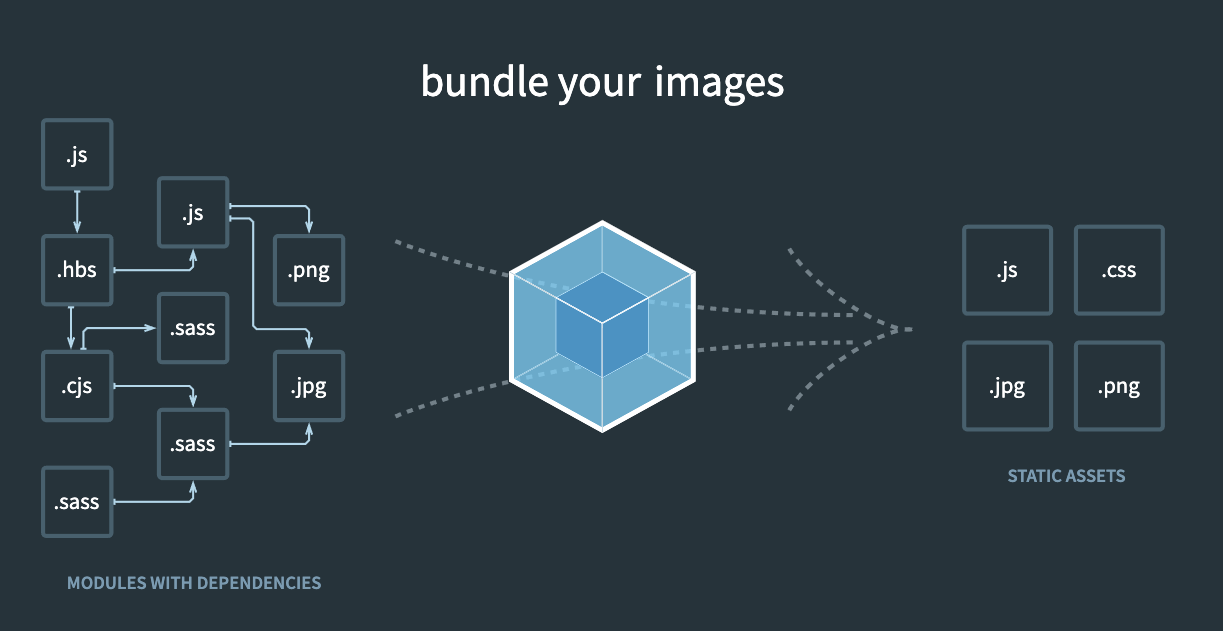
To get started you only need to understand itsCore Concepts:

Entry
Anentry pointindicates which module webpack should use to begin building out its internaldependency graph. Webpack will figure out which other modules and libraries that entry point depends on (directly and indirectly).
entry point는 내부 종속성 그래프 구축을 시작하는데 사용해야 하는 모듈 웹팩을 나타냅니다. 웹팩은 진입점이 의존하는 다른 모듈과 라이브러리를 파악합니다.

Output
Theoutputproperty tells webpack where to emit thebundlesit creates and how to name these files. It defaults to./dist/main.jsfor the main output file and to the./distfolder for any other generated file.
output은 생성하는 번들을 내보내는 위치와 파일의 이름을 지정하는 방법을 웹팩에 알려줍니다. 기본값은./dist/main.js이고 다른 파일의 경우./dist폴더입니다.

Loaders
Out of the box, webpack only understands JavaScript and JSON files.Loadersallow webpack to process other types of files and convert them into validmodulesthat can be consumed by your application and added to the dependency graph.
웹팩은 자바스크립트와 JSON 파일만 이해합니다.Loader를 사용하면 웹팩에서 다른 유형의 파일을 처리할 수 있으며, 어플리케이션에서 사용되고 종속성 그래프에 추가할 수 있는 유효한모듈로 변환할 수 있습니다.

Plugins
While loaders are used to transform certain types of modules, plugins can be leveraged to perform a wider range of tasks like bundle optimization, asset management and injection of environment variables.
로더는 특정 유형의 모듈을 변환하는데 사용되지만플러그인을 활용하여 번들 최적화, 에셋 관리 및 환경 변수 주입과 같은 광범위한 작업을 수행할 수 있습니다.

Mode
By setting themodeparameter to eitherdevelopment,productionornone, you can enable webpack's built-in optimizations that correspond to each environment. The default value isproduction.
mode파라미터를development,production또는none으로 설정하면 웹팩에 내장된 환경별 최적화를 활성화 할 수 있습니다. 기본값은production입니다.

Browser Compatibility
Webpack supports all browsers that areES5-compliant(IE8 and below are not supported). Webpack needsPromiseforimport()andrequire.ensure(). If you want to support older browsers, you will need toload a polyfillbefore using these expressions.
웹팩은ES5가 호환되는 모든 브라우저를 지원합니다(IE8 이하는 지원되지 않습니다). 웹팩은import()및require.ensure()을 위한Promise를 요구합니다. 구형 브라우저를 지원하려면 이러한 표현식을 사용하기 전에폴리필을 로드해야 합니다.
웹팩을 사용해 프로젝트를 세팅할 경우 필요한 바벨에 대한 개념을 짧게 설명하고 넘어가도록 하겠습니다.

Babel is a JavaScript compiler
Babel is a toolchain that is mainly used to convert ECMAScript 2015+ code into a backward-compatible version of JavaScript in current and older browsers or environments. Here are the main things Babel can do for you:
바벨은 주로 ECMA스크립트 2015+ 코드를 이전 버전의 자바스크립트로 변환하는데 사용됩니다.
Transform syntax
Polyfill features that are missing in your target environment
Source code transformations
// Babel Input: ES2015 arrow function [1, 2, 3].map(n => n + 1); // Babel Output: ES5 equivalent [1, 2, 3].map(function(n) { return n + 1; });